Private gift planning for Android
Never scramble
for a gift again.
Keep your own wishlist and every gift you're planning for other people in one calm, private place — with the people, dates and budgets to go with them. No account, no ads, no affiliate links, and nothing you enter is ever sent to us.
- Free
- No ads
- No account
- No affiliate links
- Works offline
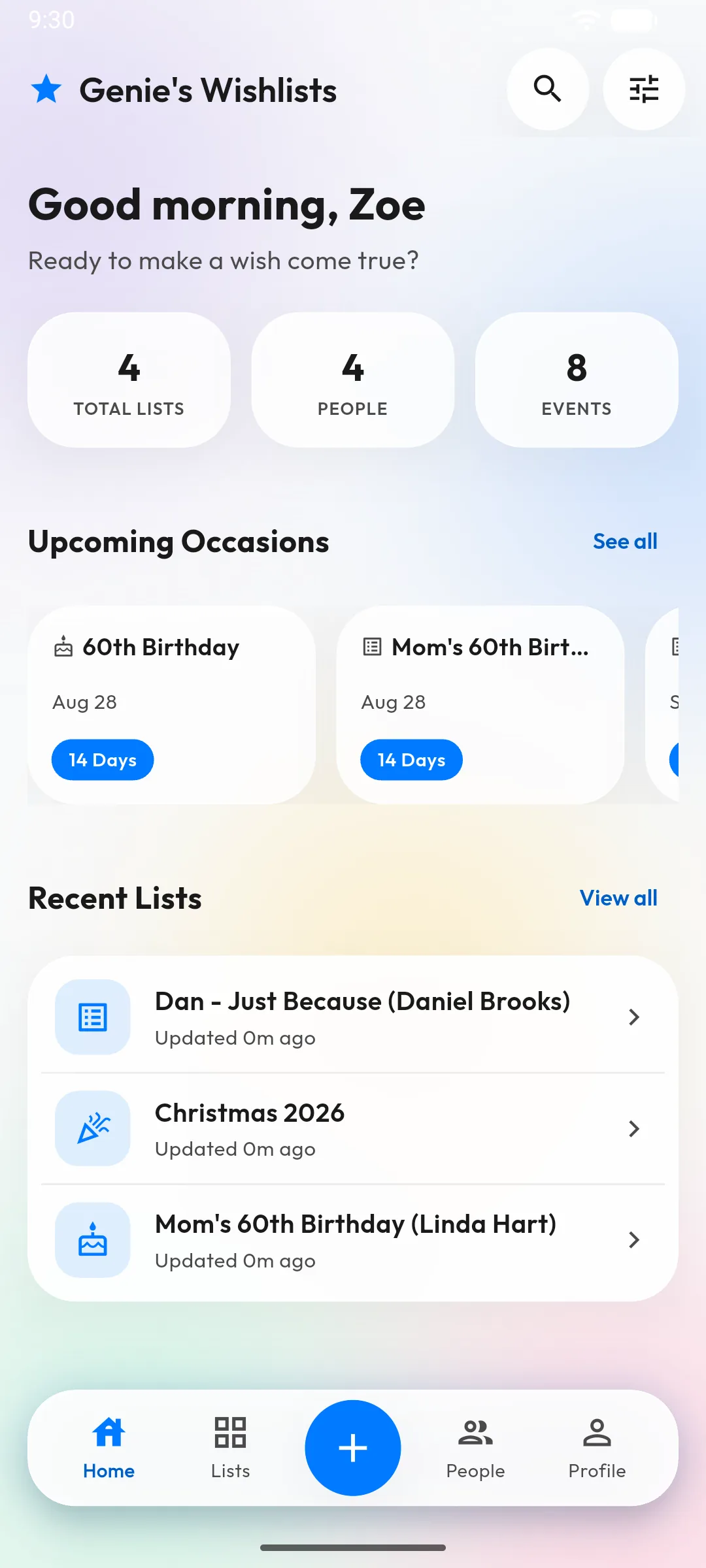
Sound familiar?
Gift-giving is a joy. Keeping track of it isn't.
Ideas everywhere
Screenshots, chat messages, a note called "gift ideas 2", and that one thing you swore you'd remember.
Occasions that sneak up
It's the 26th already?! Now it's a petrol-station gift card and a guilty conscience.
Bought it… or just meant to?
You ordered the scarf in March. Or did you only save the link? Now it's December and you're buying it twice to be safe.
One calm place for all of it
Real screens from the app — tap any one to see it larger.
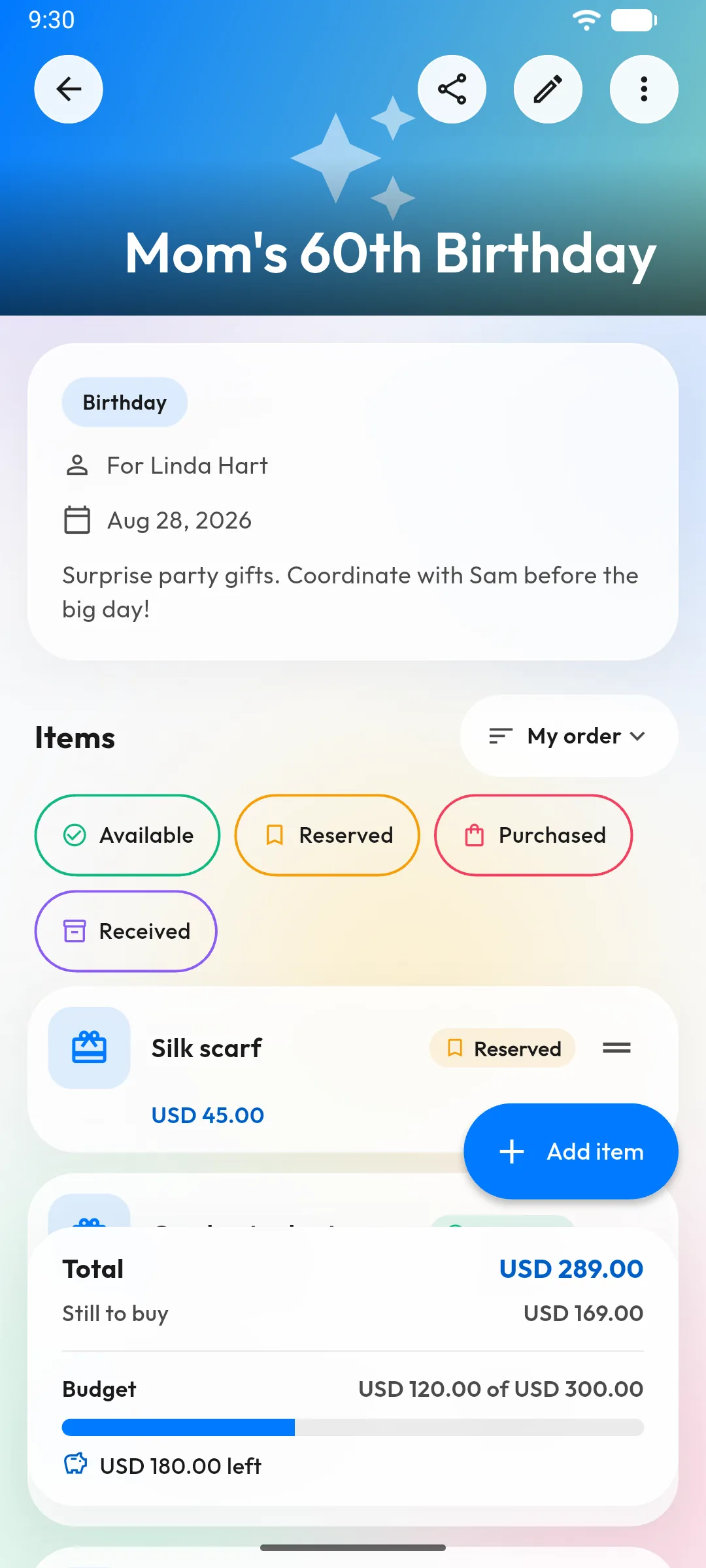
Know exactly where every gift stands
Each item carries one clear status — Available, Reserved, Purchased or Received — plus a price, a link, a photo, a priority and a quantity. Set a budget for the list and the footer keeps a running total of what's spent and what's still to buy.
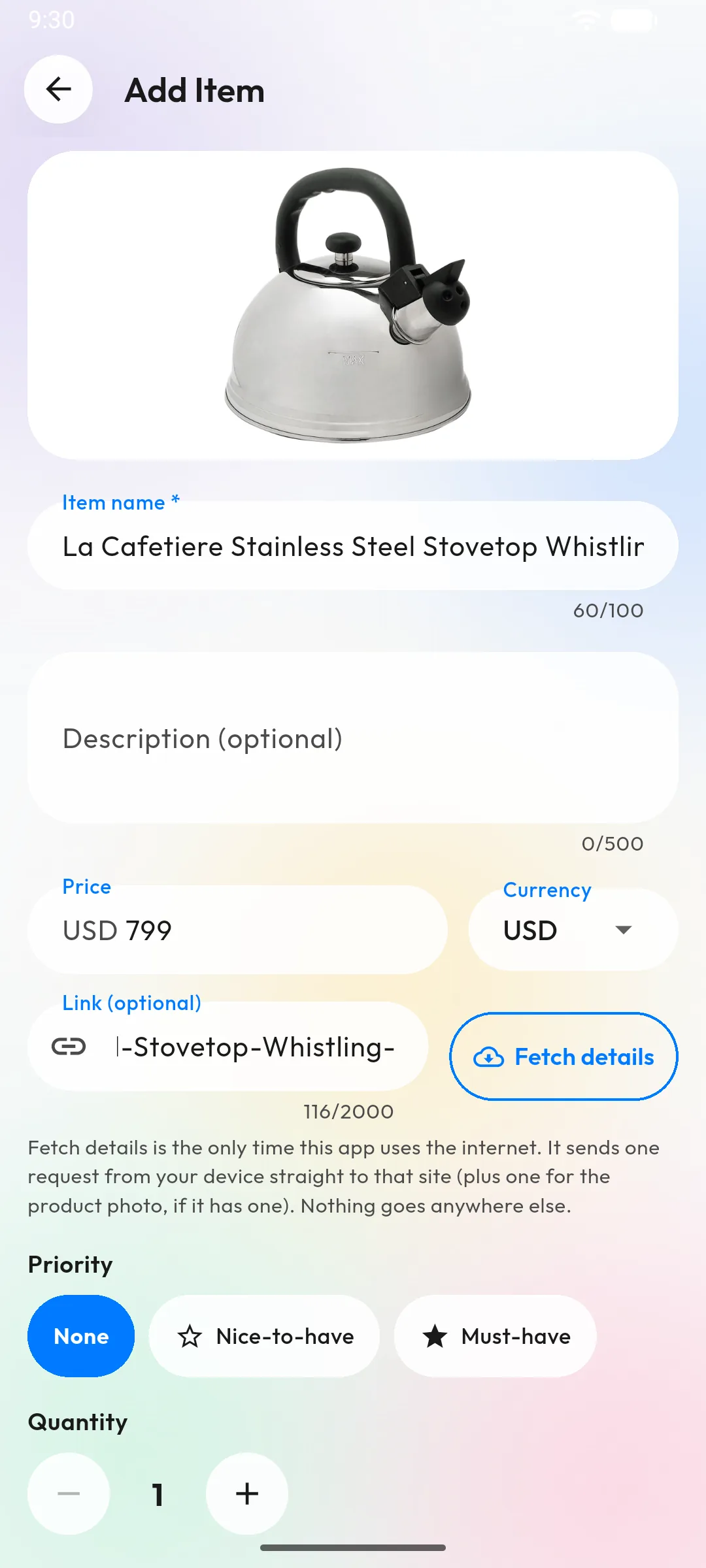
Paste a link, tap once, done
Paste a product link and tap Fetch details — the app asks that shop's page for the name, price and photo and fills in whatever you left blank. It's the only time the app uses the internet: one request from your phone straight to that site (plus one for the photo, if there is one), only when you tap, and nothing goes anywhere else.
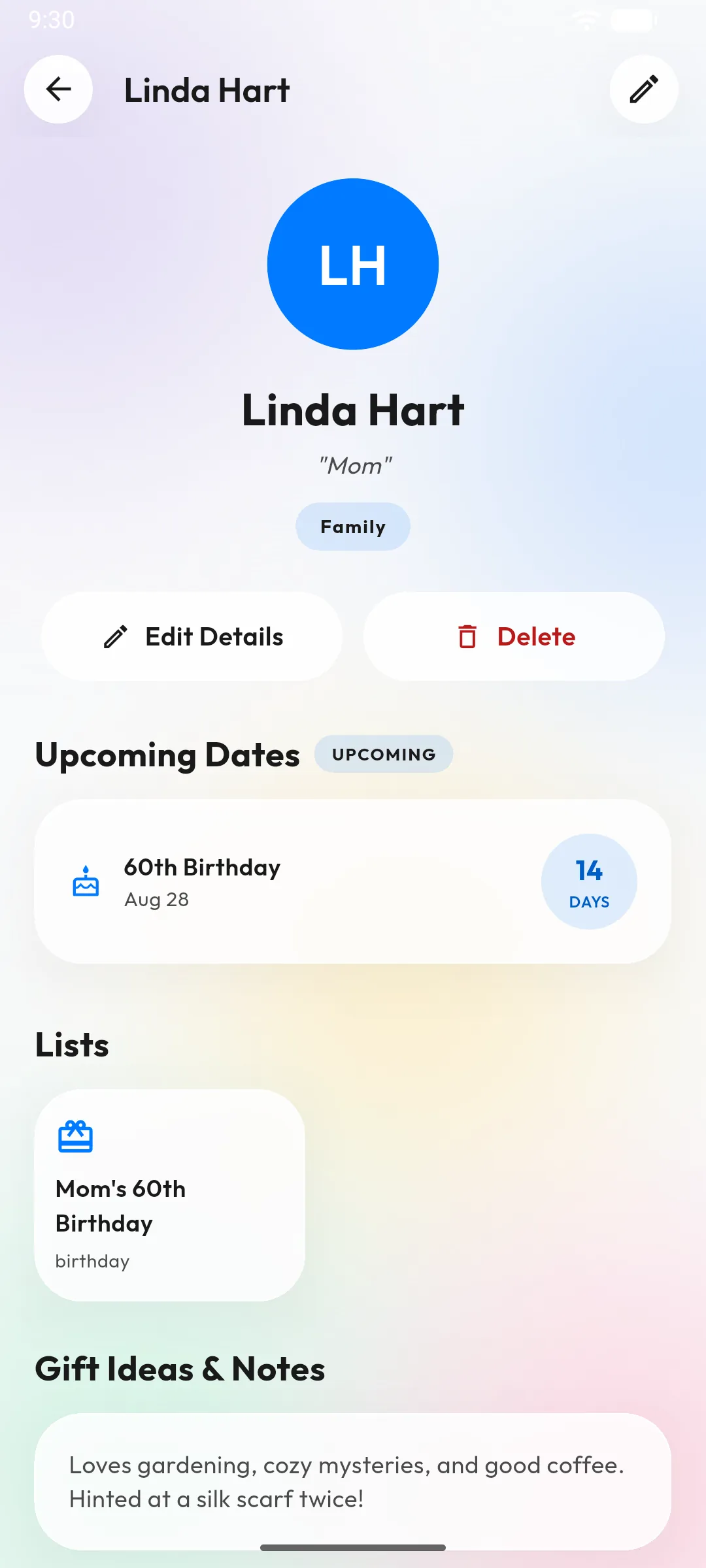
Gift like you really know them
Keep everyone you gift for — relationships, clothing sizes, gift-idea notes, a gifting budget, and their important dates with live countdowns. Optional reminders nudge you days before the occasion, scheduled entirely on your phone.
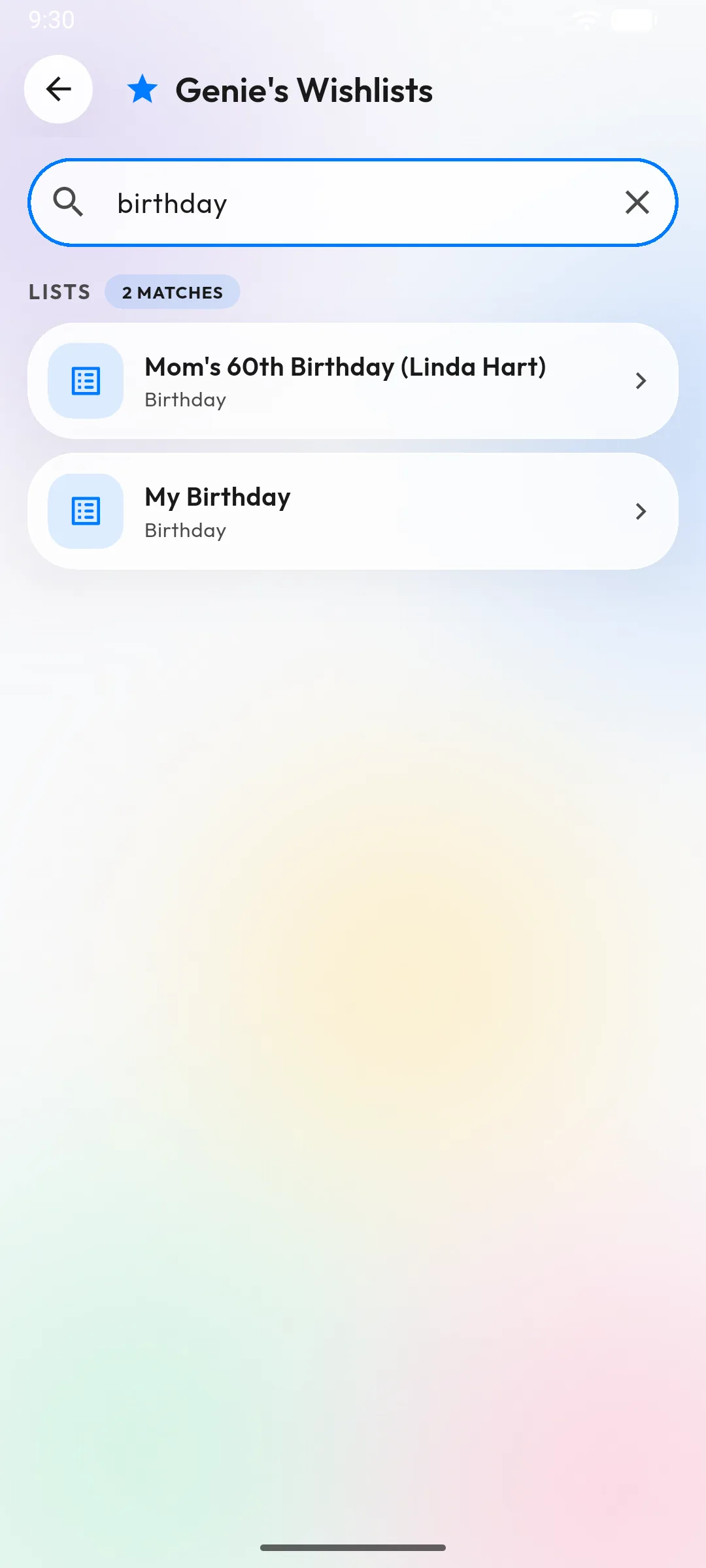
Find any idea the second you need it
Search across every wish, list and person as you type. That brilliant idea you saved in March is right there in December — exactly when the shops are busiest.
Everything for thoughtful gifting
Built for the way gifting actually works — all year, for everyone you love, on a budget you can see.
Lists & items
Lists for birthdays, Christmas, weddings, baby showers or anything else. Every item takes a photo, price, link, priority and quantity; drag them into your own order, or sort and filter by price, name, status or priority.
Fetch details from a link
Paste a product link and tap once — the name, price and photo fill in from the shop's page. Only ever on your tap, and only to that shop.
Budgets & totals
Set a budget per list or per person and watch spent-versus-budget as you buy. Totals count price × quantity, and “still to buy” always tells you what's left.
People & sizes
Everyone you gift for, with nicknames, relationships, photos, gift-idea notes and clothing sizes in UK, US or EU — so the right size is always to hand.
Dates & reminders
Birthdays and occasions on one timeline with live countdowns, plus an optional reminder a few days ahead — scheduled on your phone, no server involved.
Share three ways
Send a list as text, as a picture for the chat apps people actually use, or as a file another Genie's user can import. Keep any item off the shared copy with “Hide when sharing”.
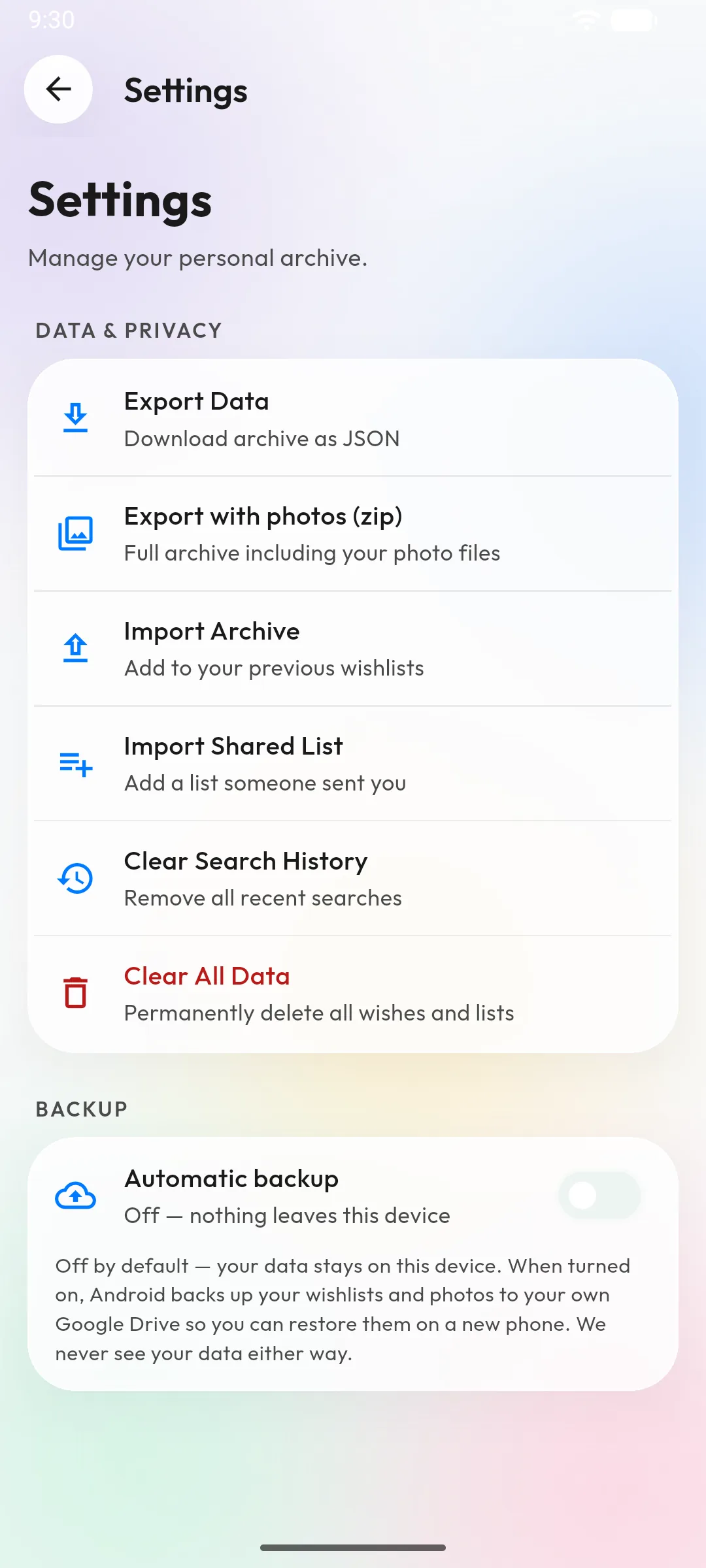
Backup, export & import
Export everything as a JSON archive or a ZIP that includes your photos, and import it on any phone. Android's own backup to your Google Drive is there too — off by default.
Start the next season
When an occasion has passed, one tap archives the list and carries every unbought item into a fresh one — priorities and quantities intact, statuses reset.
Designed for accessibility
Status is always icon + text, never colour alone; colours meet WCAG AA; layouts respect large and bold text; screen readers get proper labels; and Reduce Transparency swaps glass for solid.
Nothing is sent to us.
Ever.
In this version there's no sign-up, no Genie's server and no analytics — everything you add lives in the app's private storage on your phone. It goes anywhere else only when you choose: tap Share or Export, turn on the optional Automatic backup to your own Google Drive (off by default, invisible to us either way), or tap Fetch details on a product link — which asks that shop, and only that shop, for the item's name, price and photo. One page request, at most one image request, and never without your tap.
- 0 trackers
- 0 ads
- No affiliate links
- Play Data safety: nothing collected
- Backup is opt-in
A future Pro version will add optional cloud sync across your own devices and two-way list-sharing with friends — always your choice to turn on. Read the full Privacy Policy.
How a season flows
The app follows the real rhythm of gifting — and hands you the next round.
- Capture ideas
- Plan by person, date & budget
- Get reminded
- Track reserved → purchased → received
- Share your list
- Start the next season
Setup takes a minute — your name, currency and sizes, or skip and fill them in later — and every step is optional. Use the bits that help.
Questions
Is my data private?
Yes. In this version everything is stored only in the app's private storage on your phone — there's no account and no Genie's server, and nothing you enter is collected or sent to us. Data goes elsewhere only when you choose to: Share, Export, the optional Automatic backup to your own Google Drive (off by default; we can't see it), or a tap on Fetch details.
Does the app ever use the internet?
Only when you tap Fetch details beside a product link. Your phone then asks that shop's page for the item's name, price and photo — one page request and, if your item has no photo yet, one image request. Nothing else in the app is included, it contacts the shop directly (never us), and it never runs on its own. Like any web request — including opening the same link in your browser — the shop can see the request and the internet address it came from.
Can family and friends reserve items on my list?
Not in this version — sharing is one-way. They receive a copy as text, a picture or an importable file, and you keep the statuses and the “Reserved by” note up to date on your phone as people tell you what they've claimed. Two-way claiming that syncs back to your list is planned for the optional Pro version.
Do I need an account?
No. There's no sign-up and no login — just open the app and start.
What does it cost?
Genie's Wishlists is free for personal use. This version has no ads, no subscriptions and no in-app purchases. A future Pro version may add optional paid features such as cloud sync — everything in this version stays as it is.
How do reminders work?
Optional occasion reminders are scheduled locally by your phone — no server is involved. Android decides the exact moment to deliver them (it may shift a little to save battery), and they need the notification permission you're asked for when you turn them on.
What if I switch phones?
Use Export with photos (zip) to save a complete backup, then Import Archive on your new phone — or turn on the optional Automatic backup beforehand and restore during phone setup.
Where do I get it?
On Google Play, free, for Android phones. There's no iOS version yet.
Ready for calmer gifting?
Genie's Wishlists is free on Google Play for Android. Install it, skip or fill in the one-minute setup, and add your first wish.

Free · no account · no ads · no affiliate links. Questions? support@genieswishlists.com.